


Orders
.png&w=48&q=75 "login")
Profile


Wallet

My Refunds 8 Refund in Process

SELECT RECENT ORDER
Order ID : 4303749
Placed on: April 22nd 2025

Total products: 1
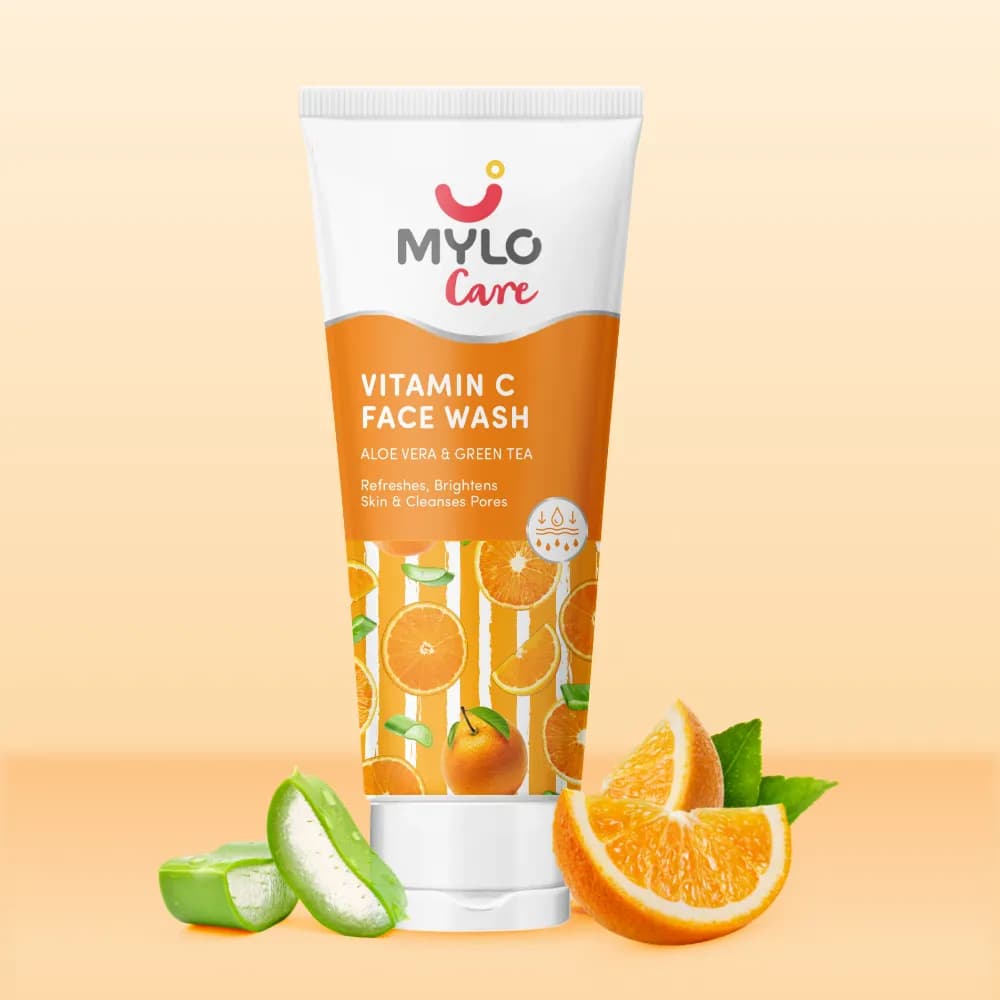
1 x Vitamin C Face Wash - 100 ml
See All Orders
FAQ
Top Queries

How to cancel my order?
You can cancel the order by going to ‘My Orders’ and clicking on the order that you wish to cancel.
Was this page helpful?
Your feedback help us improve
YES
NO
How can I return my order?
Check if the item(s) in your order are eligible for Return. If it is, you can file the return request by going to ‘My orders’ -> choosing the order you wish to return -> click ‘Return Order’.
Was this page helpful?
Your feedback help us improve
YES
NO
I have requested for return of my order. By when will it be picked up?
The return order will be picked within 3-4 Working Days from the date of request raised.
Was this page helpful?
Your feedback help us improve
YES
NO
Order Tracking & Delivery
Where is my order?
Track your order anytime with your order number and shipping details. Go to the ‘My Order & Bookings’ section to know your order status.
Was this page helpful?
Your feedback help us improve
YES
NO
How do I check the status of my order?
Go to the ‘My Order & Bookings’ section to know your order status.
Was this page helpful?
Your feedback help us improve
YES
NO
Why is my order delayed?
Sorry for the inconvenience! Your order could be delayed beyond your expected date of delivery. In such an event, a new delivery date will be communicated to you via SMS/Email. Additionally, you can access your Mylo' app's 'Orders' section to view the new delivery date and order status.
Was this page helpful?
Your feedback help us improve
YES
NO
My order is Out for Delivery, when will it be delivered?
Delivery partner will contact you shortly if he has not contacted already. Your patience is greatly appreciated!
Was this page helpful?
Your feedback help us improve
YES
NO
How can I get my order delivered sooner than the Expected Date of Delivery?
Sorry but currently, there is no expedited delivery option. But stay rest assured that your order will be delivered at most by your expected date of delivery. If in future, when we have an expedited delivery option then we will notify you.
Was this page helpful?
Your feedback help us improve
YES
NO
What if I’m unavailable to receive my order at the time of delivery?
Our delivery partner will re-attempt delivery in this case. Our Customer Excellence Team will reach out to you confirming the same.
Was this page helpful?
Your feedback help us improve
YES
NO
Cancellations & Refunds
How can I cancel my order?
You can cancel the order by going to ‘My Orders and Bookings’ section of the App and clicking on the order that you wish to cancel.
Was this page helpful?
Your feedback help us improve
YES
NO
I have cancelled my order. When will I get the refund?
Refunds usually take 5-7 Working Days to be processed and credited to your account. You can check you refund status from "My refunds" on the Need help page
Was this page helpful?
Your feedback help us improve
YES
NO
I have not received my Refund
Refunds take 5-7 days to credit to your account, Incase you need to talk to our customer support champion, tap on Chat with Us.
Was this page helpful?
Your feedback help us improve
YES
NO
Returns & Exchange
How can I return my order?
Check if the item(s) in your order are eligible for Return. If it is, you can file the return request for returnable items by going to ‘My orders & Bookings’ -> choosing the order you wish to return -> click ‘Return Order’. Please note that any order can be returned only within 15 days from date of delivery.
Was this page helpful?
Your feedback help us improve
YES
NO
How many days does it take to have an order replaced?
Your replacement will reach you within 5-7 business days, after the Return Order is collected. Your patience in the process is greatly appreciated!
Was this page helpful?
Your feedback help us improve
YES
NO
Why has my Return Request been declined?
Sorry for the inconvenience! Your return request might have been declined due to incomplete information shared from your end or due to the request being raised for a non-returnable product. For any further concerns, please reach out to Customer Excellence Team.
Was this page helpful?
Your feedback help us improve
YES
NO
Payment Related issues
What are the modes of payments?
You can pay for it through Cash on Delivery or Prepaid. If opting for Prepaid, you can pay via UPI, Debit Card, Credit Card, Wallet, Net Banking. Happy Shopping!
Was this page helpful?
Your feedback help us improve
YES
NO
Can I use my credit card to pay for my order?
Yes, you can use credit card while shopping at Mylo.
Was this page helpful?
Your feedback help us improve
YES
NO
Can I change the mode of payment for my order while it is in transit?
We are afraid that once you have received a confirmation for an order, you can't change your mode of payment.
Was this page helpful?
Your feedback help us improve
YES
NO
Address Related issues
How to change/update your address on the Mylo App?
Go to My Cart. Click on the edit button on the top right corner, next to the address. Now you can edit an existing address or add a new address.
Was this page helpful?
Your feedback help us improve
YES
NO
Address page not opening?
Try restarting the app and if you face the issue again, please call us on 08047190745 number from 9 am to 7 pm Monday to Saturday or write to us at feedback@mylofamily.com & our team will contact you within 24hrs
Was this page helpful?
Your feedback help us improve
YES
NO
Coupon / Offer Related issues
Why is my coupon not working?
Either the items added are not meeting the minimum order value or the coupon is not applicable on the product that is added to the cart.
Was this page helpful?
Your feedback help us improve
YES
NO
How can I get a coupon/offer?
You can participate in the 'Diaper Fest' or 'Love & Care Fest', every Thursday and win coupons. You can also make a purchase on Tuesday during the Happy Tuesday Sale to avail amazing offers on various products.
Was this page helpful?
Your feedback help us improve
YES
NO
Where is my coupon? I had a coupon/offer till yesterday
All the coupons/offers available to you, have a validity, & have expired. If you have any concerns, please call us on 08047190745 number between 9 am-7 pm Monday to Saturday or write to us at feedback@mylofamily.com.
Was this page helpful?
Your feedback help us improve
YES
NO
App is not working fine
Is Mylo available on iOS Devices?
Yes, it is available on iOS. You can download it from Apple Store.
Was this page helpful?
Your feedback help us improve
YES
NO
How to update my personal details like email, phone number, stage, baby DOB, Delivery date on Mylo App?
To update Email, Phone number and other personal info
Go to ‘My Profile’ tab -> click on "My Account" --> Tap Edit profile -> Select your Due Date and baby's Date of birth from there
To Update your stage
Go to "My Profile" tab -> click on "My Account" -> Tap "Edit profile" -> Scroll down and tap on "Change Stage"
Was this page helpful?
Your feedback help us improve
YES
NO
My issue is not listed
Contact Customer Support
Chats
- Monday to Saturday 9:00 A.M. - 7:00 P.M.
Calls
- Monday to Saturday 10:00 A.M.- 7:00 P.M.
- Our contact number is 08047190745
Was this page helpful?
Your feedback help us improve
YES
NO